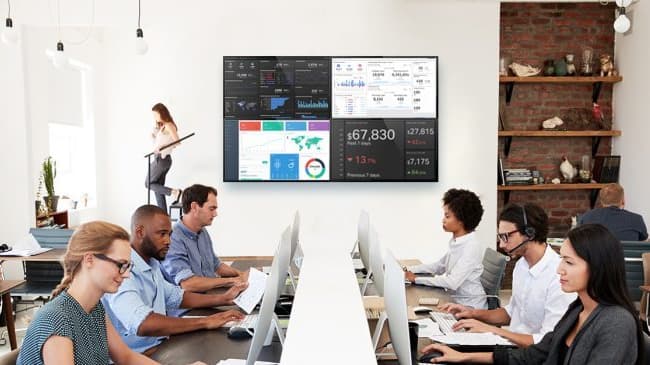
A video wall is a group of displays arranged edge to edge so they behave as one large canvas. You have seen them in airports, in sports venues, in the command-center scenes of every spy movie, and increasingly in ordinary lobbies, boardrooms, and classrooms. For advertising, the appeal is scale. For a business, the real value is different: a video wall can show a great deal of information at once, and the layout can change from minute to minute to match what the people in the room need to see.
Two technologies, one idea
Today a video wall is built one of two ways.
Tiled LCD displays are commercial panels with bezels engineered to be as thin as possible, so the seams between screens nearly disappear. They are the workhorse of control rooms and collaboration spaces because they are sharp at close range, relatively affordable, and easy to service one panel at a time. The seams never vanish entirely, which matters for some content and not at all for others.
Direct-view LED has no seams. Instead of panels, the wall is made of LED modules that assemble into any size or shape, and the image is continuous from edge to edge. The key specification is pixel pitch, the distance between LEDs, which sets how close a viewer can stand before the image breaks into dots. Fine-pitch LED has become far more affordable, and all-in-one LED displays now ship as a single pre-engineered unit for boardrooms and lobbies. For a large room, a bright space, or a wall that has to look flawless from any distance, LED is usually the answer.
Shape follows content
Your television at home is 16:9, and so is nearly everything produced for it. A 2×2 or 3×3 array of 16:9 displays keeps that shape and shows a single source at full size with no compromise. But there is no rule that a wall has to be 16:9. A 1×4 ribbon above a reception desk, a tall portrait array in a stairwell, or an irregular mosaic in a lobby can all be the right choice, as long as the content is designed for the shape. Decide what the wall will show before you decide what it will look like.
The processor is the brain
The displays are only half of the system. A video wall processor or controller takes in the sources, whether that is a single signage player, a dozen camera feeds, or a mix of laptops, dashboards, and broadcast television, and decides where each one appears and how large. In a command center, an operator can drag a feed across the wall and resize it. In a lobby, the wall can run one piece of content all day. Many modern walls use AV-over-IP, which sends every source across a dedicated network so any input can appear on any part of the wall without rewiring.
Where we install them
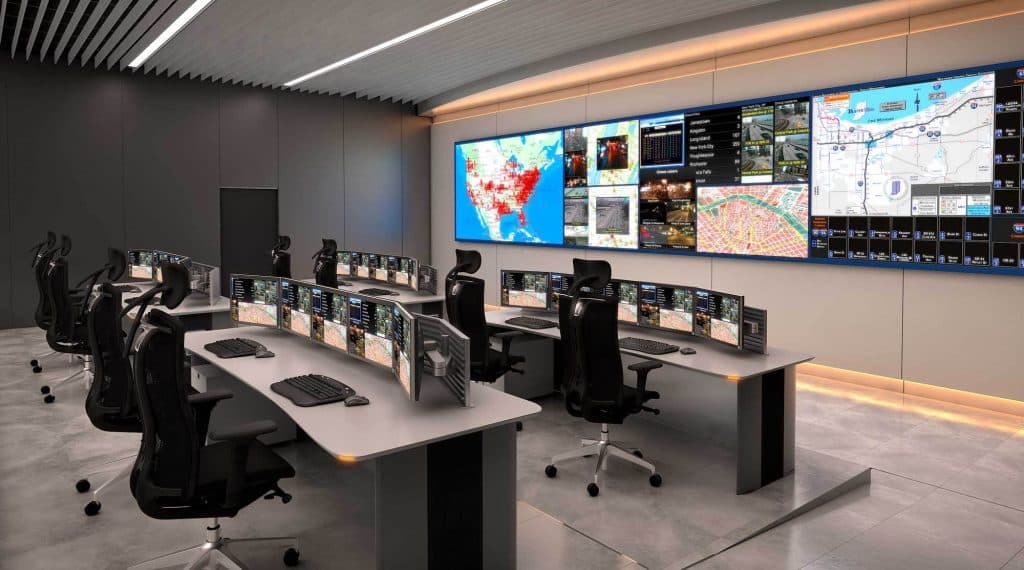
- Command and control. Operators need to see many sources at once with clear sightlines. See the Chattanooga Real Time Intelligence Center and an environmental monitoring wall we built for a government client.
- Collaboration. Engineering and design teams use a wall to compare models, data, and video side by side, as in this engineering lab.
- Boardrooms. A wall replaces two or three separate displays and gives a hybrid meeting room space to show people and content together. This executive conference room is a good example.
- Venues and signage. The Finley Stadium Skyline Lounge and the Rotary Field video board show the range, from hospitality to outdoor LED.
What to settle before you buy
- Location and light. Windows and overhead lighting decide how bright the wall must be and whether LCD seams will be visible.
- The wall itself. A video wall is heavy and needs a mount that allows service access. Some structures need reinforcement.
- Power and heat. Displays and LED modules draw real power and produce heat. Both must be planned with the electrician and the HVAC contractor.
- Cabling and network. Every source needs a path to the processor, and AV-over-IP needs a properly designed network.
- Content. A wall with nothing worth showing is an expensive mirror. Plan who creates and updates the content.
If budget is your first question, we wrote a separate guide on what a video wall costs. For the technology behind signage and walls, see our digital signage and video wall services, or talk with us about the room you have in mind.